OBS Remote
Stream Control
Start recordings, go live and switch OBS scenes from your iPhone or iPad.
- Pricing
- Free · In-app purchases
- Works on
- iPhone · iPad
What it does
-
Recording, free
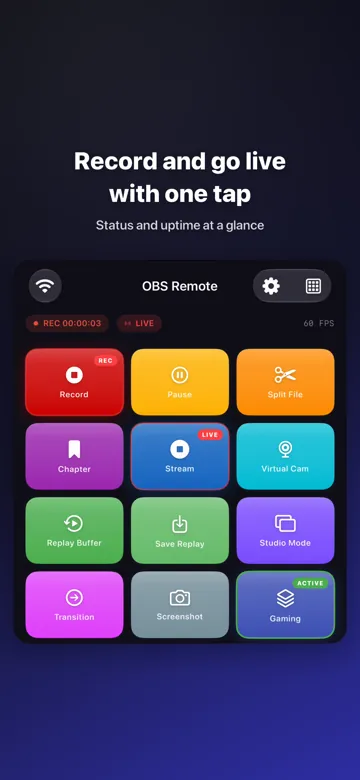
Start and stop OBS recording with one tap and watch its status live.
-
Go live
Stream to Twitch, YouTube or any platform and see uptime and bitrate (Pro).
-
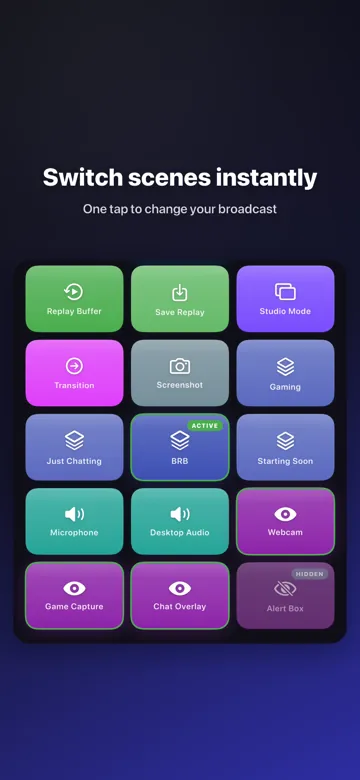
Scene switching
Switch scenes from a clean grid, with Studio Mode previews (Pro).
-
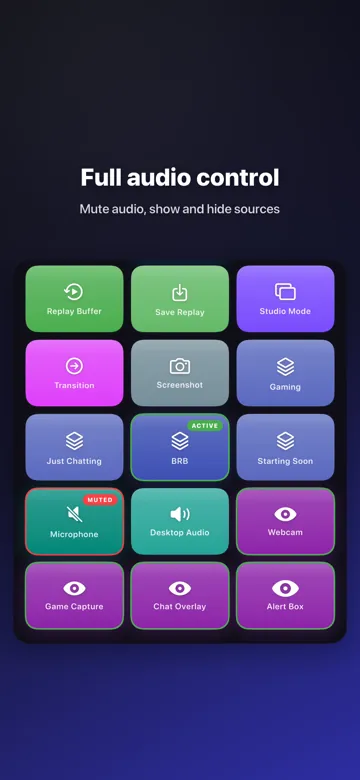
Audio mixer
Mute sources and set levels for the mic, desktop audio and more (Pro).
-
Virtual camera
Turn the OBS Virtual Camera on and off for calls (Pro).
-
Replay buffer
Start, stop and save replay clips so no highlight is missed (Pro).
Screens
About OBS Remote
Turn your iPhone or iPad into a remote control for OBS Studio. Control your streams and recordings from anywhere in the room, without running back to your computer.
Recording control is free. Pro adds streaming, scene switching, the audio mixer, the virtual camera, the replay buffer, Studio Mode and more.