Where is the underscore on an iPad?
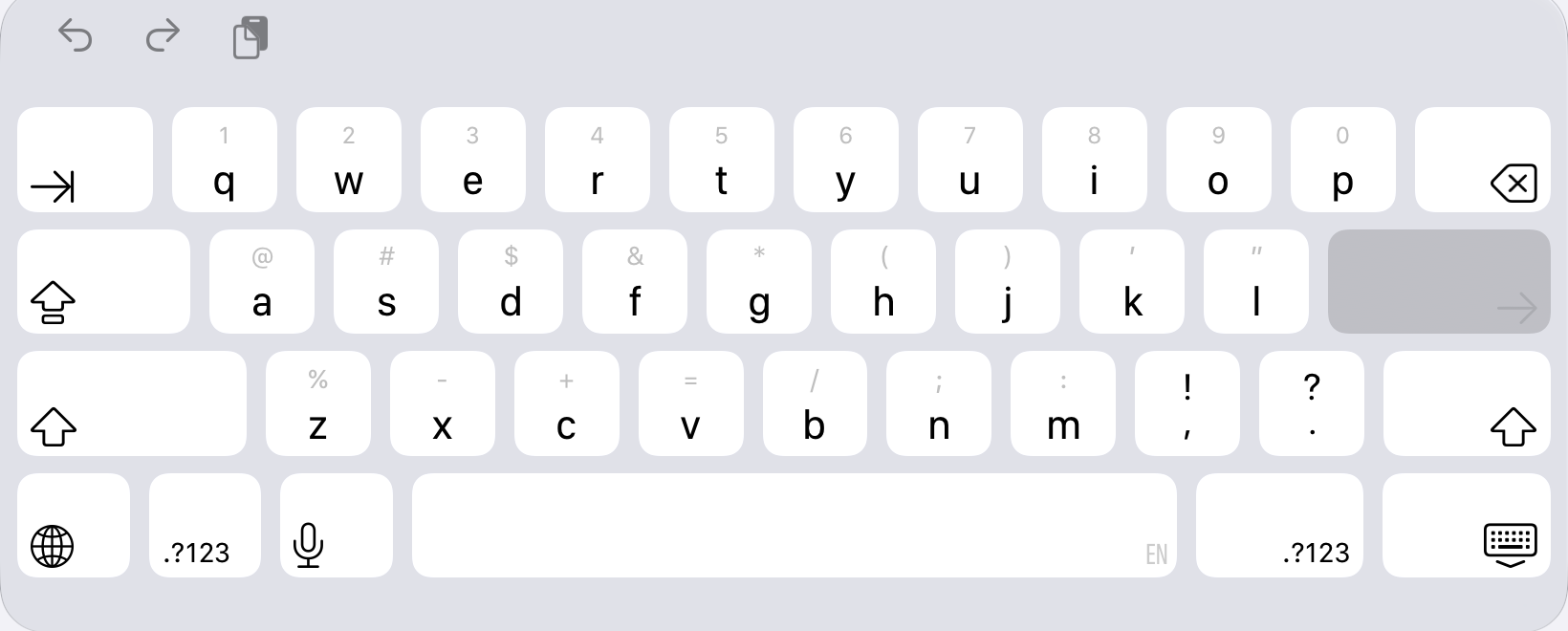
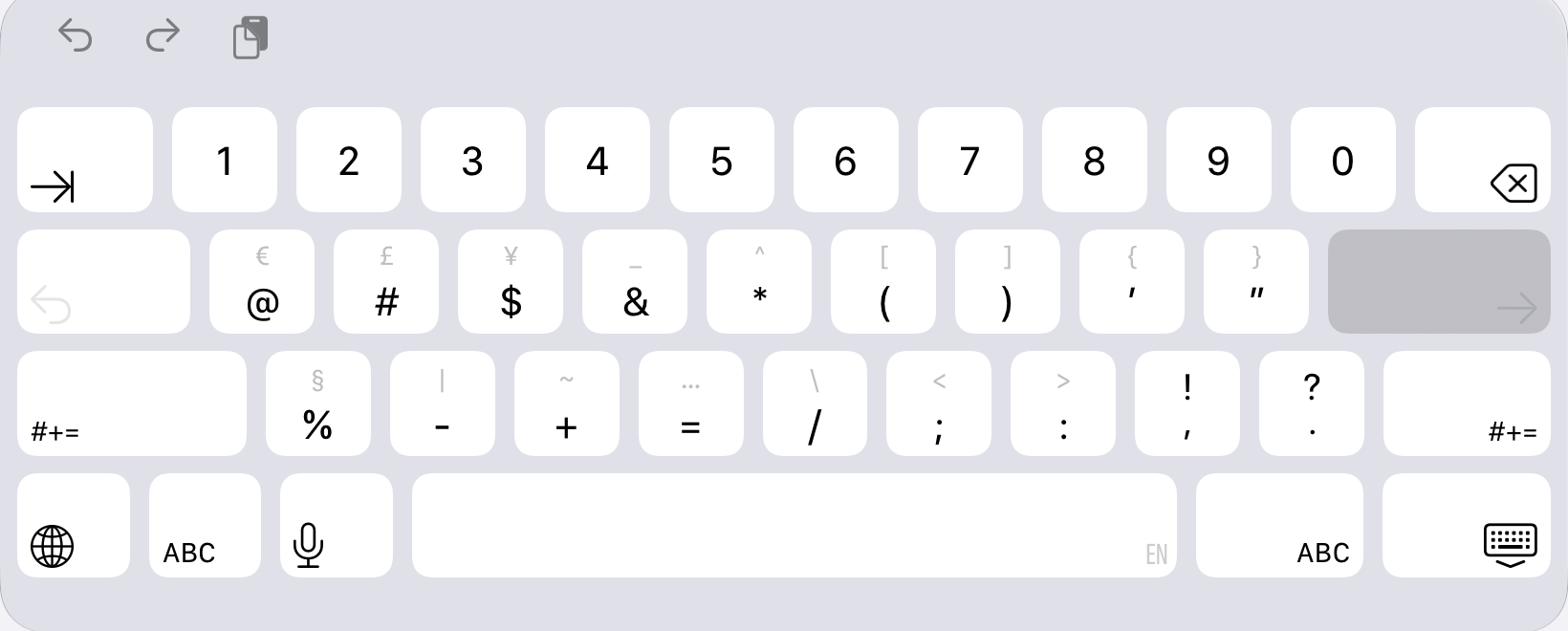
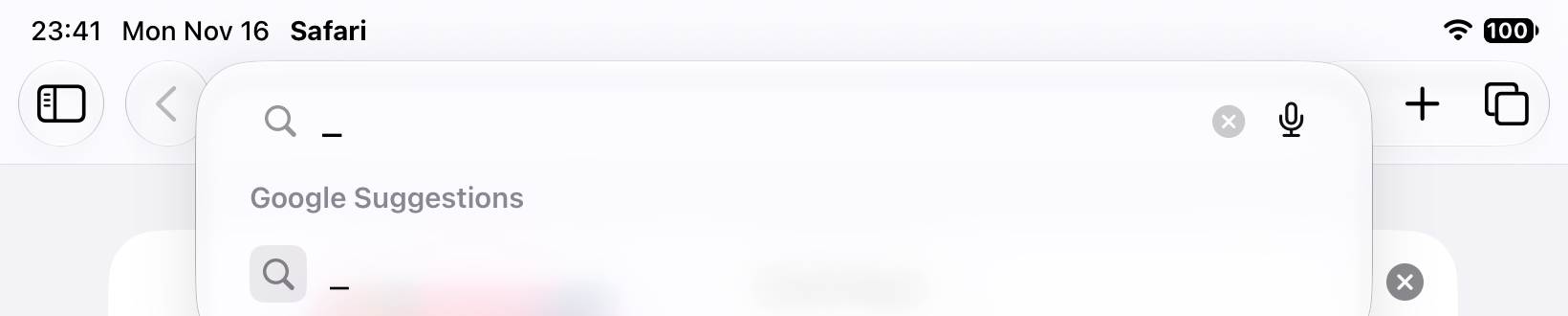
Short answer: on the on-screen keyboard, tap .?123, then flick down on the & key to type _. With a hardware keyboard, press Shift + hyphen (-).
On-screen keyboard: two ways
- Open the numbers screen. The letter keyboard has no underscore. Tap .?123 at the bottom left (or the same key on the right of the space bar).
- Flick down on the & key. The & key shows a faint underscore above it. Touch the key and swipe a short way down, and _ is typed.
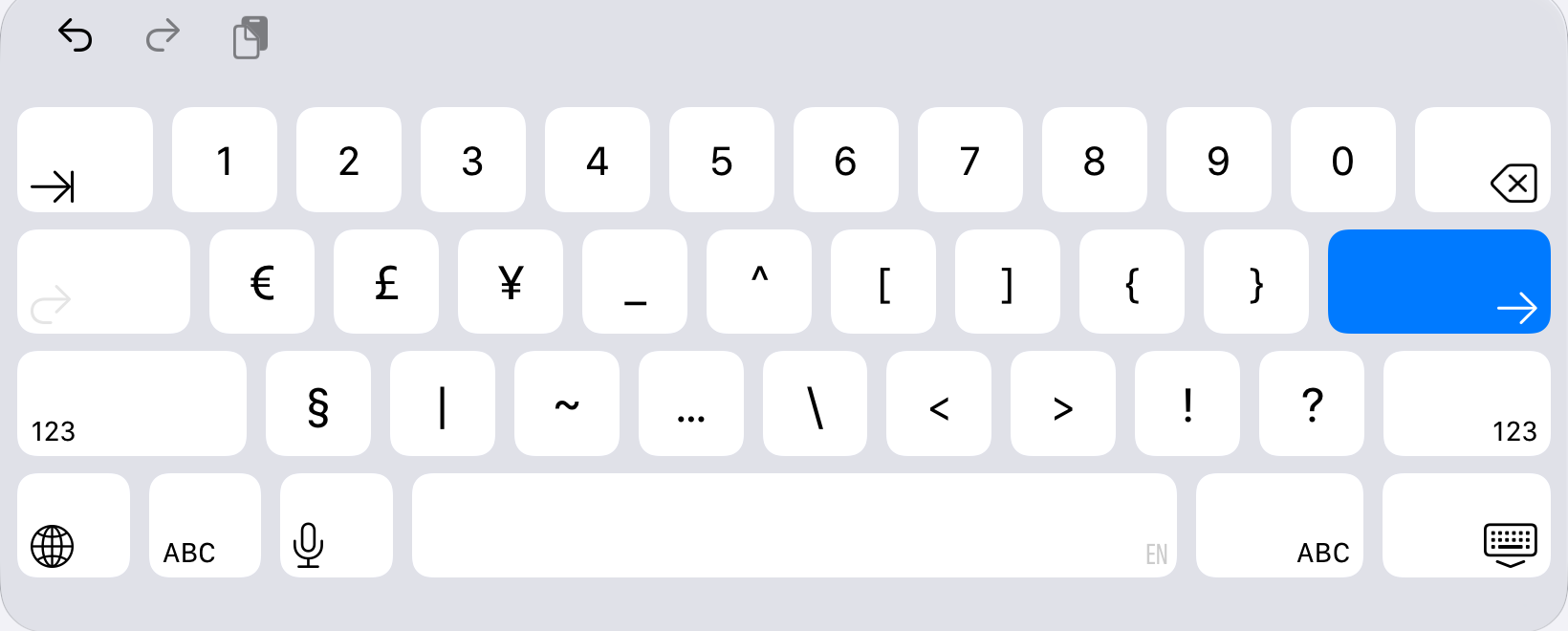
- Or tap #+= and then _. If you prefer taps, tap #+=. The underscore is a full key in the top row, between the yen sign and the caret. Tap 123 to go back.
Hardware keyboard: Shift + hyphen
With a Magic Keyboard or any Bluetooth keyboard on a US layout, hold Shift and press the hyphen key, next to 0. The same key without Shift types a plain hyphen. Other layouts, such as German or French, place the underscore elsewhere; we did not test those.
Checked on an iPad (A16) in the iPadOS 27.2 simulator with the English (US) keyboard. Other iPad sizes may look slightly different. The hardware shortcut was tested with simulated key presses, not a physical Magic Keyboard.
FAQ
Where is the underscore on the iPad keyboard?
It is not on the letter keyboard. Tap the .?123 key, then flick down on the & key to type _. You can also tap the #+= key and tap the _ key on that screen, in the top row of symbols between the yen sign and the caret.
How do I type an underscore with a hardware keyboard on iPad?
Hold Shift and press the hyphen key (-). On a US layout the underscore shares a key with the hyphen, to the right of 0. We tested this on a US layout only; other layouts can put the underscore elsewhere.
Why does the & key show a faint underscore?
The small grey character above a key is the shortcut for flicking down on that key. On the numbers screen the & key shows a grey underscore, so a short downward flick types _ without opening the symbols screen.
What is the difference between a hyphen and an underscore?
A hyphen (-) is a short dash on the numbers screen, next to the plus sign. An underscore (_) is a line that sits on the baseline, used in usernames, file names and code. They are different characters and are not interchangeable in most logins.
The flick-down does not type an underscore. What now?
Use the long way: tap .?123, tap #+=, then tap the _ key. That works the same on every keyboard screen and needs no gesture.
Also by iOS Corner
We make small, focused apps for iPhone, iPad and Mac. See all our apps.